Answers
Got a burning question about open source or the kernel? Whatever your level, email it to answers@linuxformat.com

Neil Bothwick eats Linux desktop problems for breakfast!
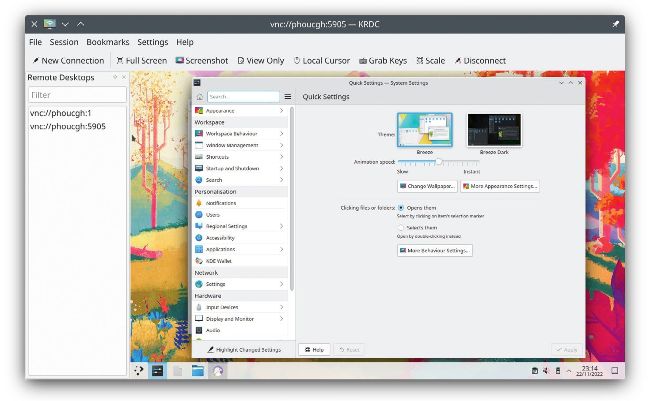
The X11vnc program enables you to make an existing desktop session available over VNC.
Q Two PCs, one desktop
I am using a CentOS 8 Stream desktop at work to run some software that uses a GUI. I want to be able to connect to it remotely from a Windows machine to continue working on a project from home or simply from another Windows PC in the office. So far, every remote desktop solution I tried either didn’t work at all or only opens a new blank session in Gnome. All I want is for it to work as the Remote Desktop works in Windows, where I can always connect to my Windows work PC from home and I will see the screen exactly the way I left it before leaving for home.
Victoria Martin
A The usual remote desktop systems, such as VNC and X2Go, work by creating a new session when you connect. There is a way to do what you need with the X11vnc program. This should be in your distro’s repositories, so install it in the usual way. Then run it from a terminal on the computer you want to control: $ x11vnc -display :0
Run this as a normal user, and the value for -display is the number of your display, which is usually :0 if you are running a single X session. You must have a desktop session already open – it doesn’t work if your computer is displaying the login screen. The program outputs a stack of information; near the end you should find something like
The VNC desktop is: remote-host:0 PORT=5900
The port number can vary – VNC starts from 5900. The number after the hostname is the port number less 5900. This is what you pass to your VNC client on the local computer:
$ vncviewer remote-host:0
We used Vncviewer in this example, but any VNC client works. You don’t even need to remember to run X11vnc before you leave for home if you have SSH access – you can run it over an SSH connection. That is why we pass the display name to X11vnc explicitly rather than using $DISPLAY, as that variable is not set for an SSH session. Unlike a traditional VNC server, X11vnc only runs for one connection; when you exit the client, the server quits, too.
One thing to be aware of is that you are only using SSH to start the server – your VNC session is not encrypted. This may be an issue, particularly as you said you are using it for work, but you can protect your data with an SSH tunnel: