Organise your emails with macOS
The Mac has finally got automatic Mail organisation features
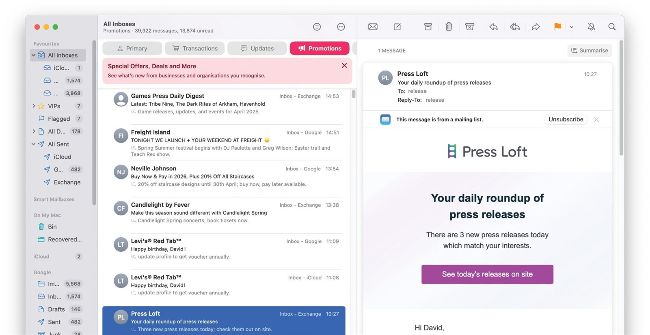
Image credit: Apple Inc
IT WILL TAKE 5 minutes
YOU WILL LEARN What you can usefully do with this latest Mail redesign
YOU’LL NEED macOS 15.4 or later
Genius tip
You can also quickly switch from any of the mailbox categories to All Mail by doubling-clicking any category or pressing Opt+Cmd+5.
It’s common to feel overwhelmed by an overflowing email inbox so any help regaining control over your messages has to be worth considering. When iOS 18.2 arrived, assistance came in the form of a new feature that automatically sorts email messages into one of four categories. Now that function has come to macOS 15.4 (Sequoia) as well, and it should mean you don’t miss anything of importance amid a sea of spam.