PART 3
Master Video, Slo-mo, Live Photo and more
The Camera app on your iPhone has plenty of features to explore
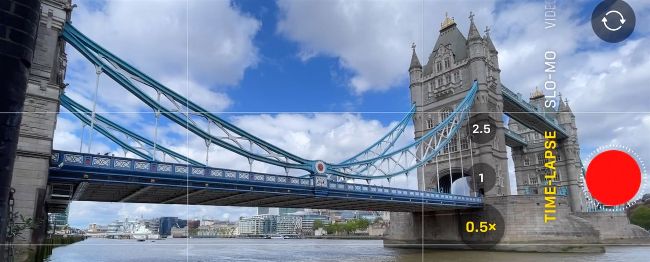
Time-lapse footage presents moving subjects such as clouds and water in a more dramatic way.
Your iPhone doesn’t just take stills. You can also use it to shoot video clips in up to 4K resolution, ‘live’ photos, slo-mo clips, time-lapses and more. The iPhone 12 models can also shoot video in a High Dynamic Range (HDR) Dolby Vision format. This new 10-bit format enables you to capture clips with a wider contrast range and more detail and colour than you’ll see in the 8-bit SDR (Standard Dynamic Range) clips captured by older iPhone models.
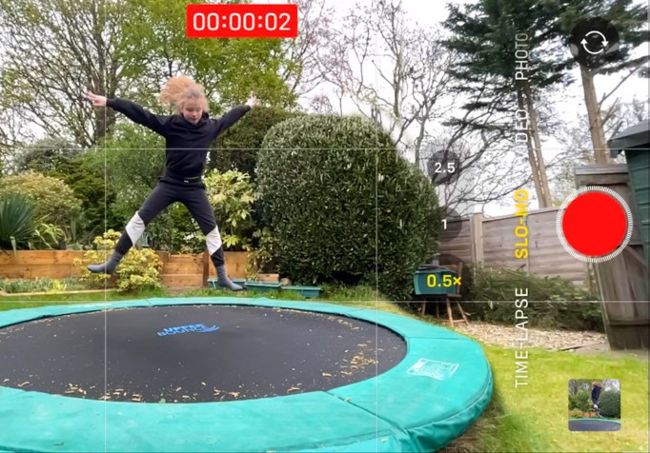
The slo-mo mode is a fun way to present fastmoving subjects in a creative way.
To activate HDR, go to Settings > Camera and tap on Record Video. Toggle on the HDR Video (High Efficiency) option. Choose a size such as 1080p HD. When you switch to the Camera app’s Video mode, you’ll see an HD icon at the top left (when shooting in horizontal landscape orientation). Tap on HD to choose a larger 4K resolution. A 4K HDR clip will look amazing on a 4K HDR TV, with more vibrant colours and richer tones. One downside of shooting and viewing HDR clips on your iPhone is a shortened battery life, so take a charger if you’re on a location shoot.