Mac software
Play live with your Mac
Burst out of the bedroom and take your Mac on stage
IT WILL TAKE
20 minutes
YOU WILL LEARN
How to loop in Logic and export to Ableton
YOU’LL NEED
Logic Pro X
Genius tip!
Live Loops are also available in the iPad and iPhone versions of GarageBand. You don’t need an external controller; just tap the screen.
In the last few months, we have focused on creating and recording music on your Mac, but what about performing?
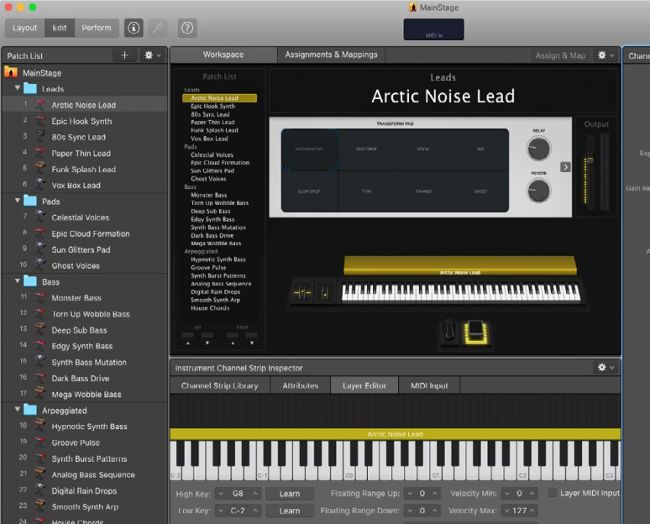
Apple offers the MainStage app for backing tracks and taking your Logic sounds on the road, but we’ve encountered problems with its stability.
Whether you’re a rock band or a bedroom techno overlord your Mac can be a really powerful tool when you want to play live. In this tutorial, we’ll look at two big-name apps, Apple’s Logic Pro and Ableton Live. They aren’t the only options – most loop-based music apps can happily play live too – but they’re the most popular choices. Ableton is a familiar sight on big stages; unlike Logic it was created specifically for live performance. But with the arrival of Live Loops, Logic has now caught up.