PART 1
Portrait and landscape photography
You can take incredible vista photos on your iPhone. Here’s how…
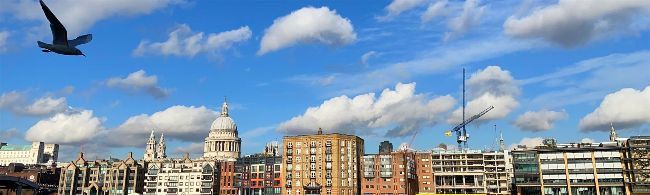
Shooting in Pano mode helps you capture a wider field of view. Perfect for urban landscapes.
Portraits and landscapes are common subjects, but it can be a challenge to capture these shots well. When look at a snap of a landscape, it rarely lives up to our memory of the scene. This can be because our peripheral vision takes in a wider field of view than the iPhone’s lens, especially in a 4:3 shaped photo.
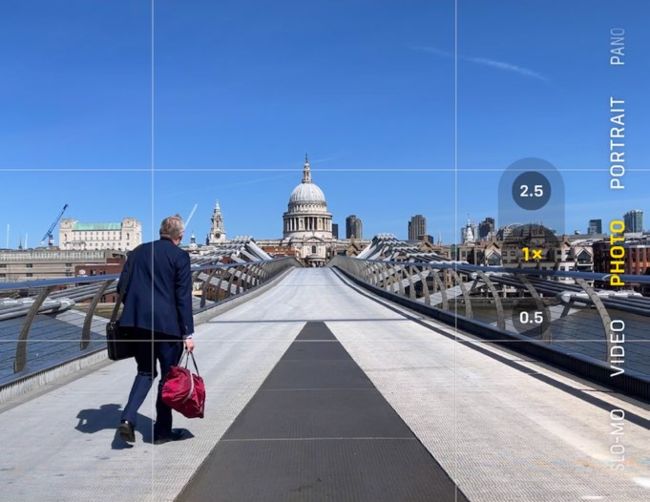
The Rule of Thirds grid helps you create a more classically considered composition.
To capture more of a landscape, you can set the Camera app to the Pano shooting mode. This enables you to pan the iPhone left to right (or right to left by tapping the arrow icon) to include more of the landscape. As you pan, the Camera app stitches the video feed together to produce a wider panoramic image. However, the hit-and-miss Pano mode can lead to some ugly artefacts. If a person moves during your pan, parts of their face may become distorted due to the auto-stitching process. If you tilt the iPhone during the pan, you may get jagged black blocks of missing detail at the top and bottom of the frame. The straight lines of a building can also appear curved when shot in Pano mode.