DOCTOR
THIS MONTH THE DOCTOR TACKLES...
> Partitioning probl
> Slow flash dri
> Firefox annoyance
Save old PC!
I have a PC that I love very much (my first build), but it’s not compatible with Windows 11, so after 2025, this machine will die. Can you suggest what to do with it? I don’t want to sell it, so maybe start with Linux? NAS? Any ideas?
The spec is: Intel i5-6500 3.20GHz, MSI B150 GAMING M3, 16GB DDR-4 RAM, 520 GB SDD, 1TB Seagate, Radeon R9 390. Thanks in advance.
—Cesar
Rosadio
THE DOCTOR RESPONDS: That’s a decent spec that should last well beyond 2025, Cesar. The Doc would shy away from using your PC as a NAS, as it’s not optimized for 24/7 use—and consider the cost of running such a powerhungry machine around the clock! The most logical option is Linux, which should run until your PC reaches the end of its natural life.
The choice, of course, is which Linux to plump for. There are a mindboggling array of distros to choose from, many of the derivatives of the big boys. The Doc suggests going down the Debian-based route to explore options based on the biggest Debian derivative of all, Ubuntu.
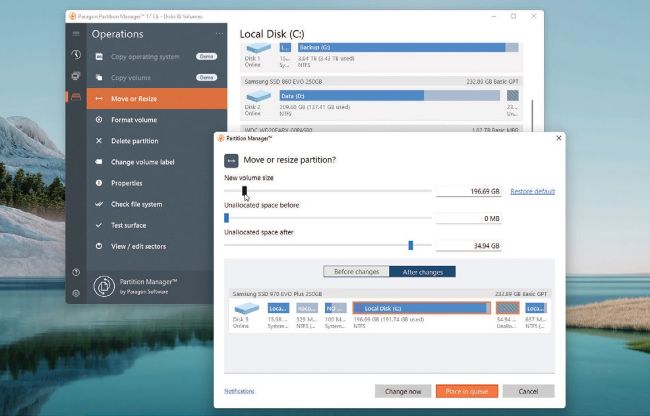
Use a third-party tool to free space on your system drive.
© MICROSOFT
Which one to choose though? The good news is that most Linux distros are engineered to be run directly from DVD and flash drive prior to being permanently installed, so you’ll be able to road-test many of them before committing to one.
In fact, why wait until 2025? Get the ball rolling now by trialing Linux distros via live media—flash drives are much snappier than DVD, and if you have a spare 64GB or 128GB you can easily switch between distros by installing a tool like Ventoy (https://ventoy.net/), which allows you to copy the ISO files in a group to the drive, then switch between them from a boot menu.