EOS S.O.S
Our technical guru is here to help. No Canon conundrum is too big or small. Get in touch today at EOSSOS@futurenet.com
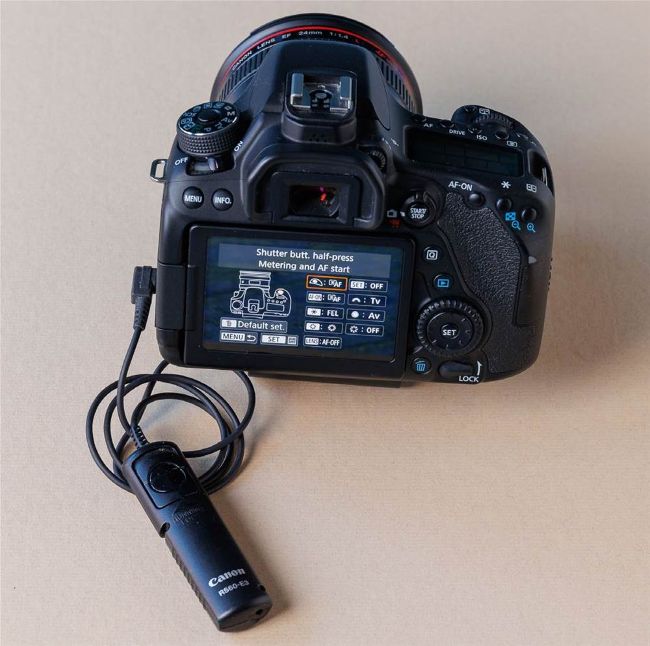
If you use back button AF, it is necessary to allow focus with the shutter when using a cabled remote release
“Whenever I use a cable release with my Canon EOS 90D the photos are out of focus, it seems like the camera doesn’t autofocus (AF) with the remote?”
Jimmy Bradley, Cuxton
BRIAN SAYS… The cabled remote releases have a two stage button that replicates the shutter button on the camera. This means that half pressing the remote release should initiate AF. If you have the audible beeps turned on, and use One Shot AF you should hear a beep when focus locks. It’s possible that the subject was not within the area covered by the AF points, so no focus was found. You could also have back button AF configured on your camera, which usually means you have stopped the shutter button half-press from initiating focus. If this is the case, you need to change the shutter button to start focus when half-pressed, or press the AF-ON button on the back of the camera before using the remote release.
PhotoPlus EXPERT
BRIAN WORLEY
CANON PRO
Brian is a freelance photographer and photo tutor, based in Oxfordshire. He has unrivalled EOS DSLR knowledge, after working for Canon for over 15 years, and is on hand to answer all your EOS and photographic queries

Using AI Servo AF / Servo tracking focus on a Canon EOS camera made it simple to keep this bee sharp as it carefully traversed the thistle