Software
Affinity
Free (in-app purchases apply)
Affinity Photo, Designer and Publisher rolled into a single app
www.affinity.studio
Rod Lawton
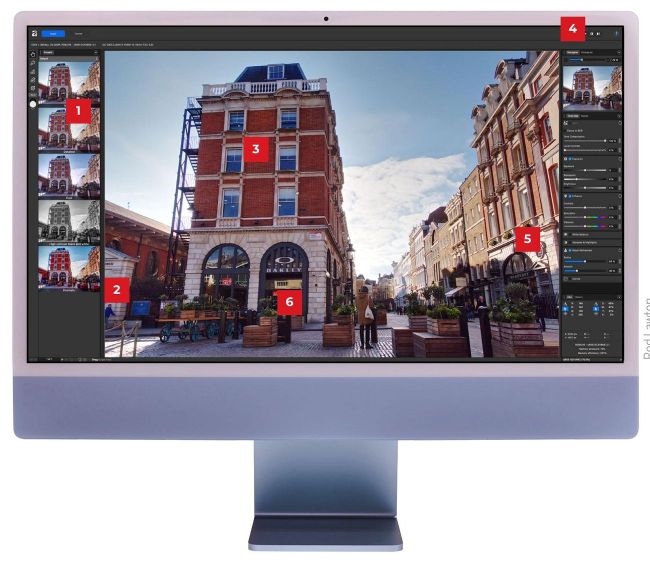
1 In regular editing, most of the work is carried out non-destructively with layers and masks.
2 Affinity has no AI masking tools, perspective corrections or noise reduction...
3 Adjustment layers let you adjust curves, white balance, split toning and other effects.
4 Affinity passes raw files through a Develop process, with tools similar to Camera Raw.4
5 ...but there are lens corrections, colour adjustments and basic masking tools.
6 It’s ideal for old-school photo editors, but you won’t find inspiration or one-click presets here.
System requirements
Windows
Processor: Intel, AMD or ARM64 processor (machine learning requires Windows x64 and ARM64 hardware running Windows 10 or 11)
Operating system: Windows 10 May 2020 Update (2004, 20H1, build 19041) or later
RAM: 8GB recommended
Graphics: DirectX 10-compatible graphics cards and above, hardware GPU acceleration requires Direct3D level 12.0-capable card
Disk space: 1GB, more during installation
Monitor: 1280 x 768 or higher resolution
macOS
Processor: Apple Silicon (M1 or newer)