Photo Active
10 things you can shoot and create this month, from animated features to owls and Iron Age villages
1 | CREATIVE
Let’s make a movie
Your digital camera is ideal for creating stop-motion animation, as Wendy Evans explains
Pixar movies are all good and well with their slick CGI and high-quality graphics, but if you want to create your own animated enterprises, without learning how to draw or taking three years to master 3DS Max or Blender, then stop-motion is the way to go. All you need is an idea, a set, possibly some lights, maybe some sound effects and music, but definitely a digital camera.
Stop-motion works by setting your scene up, taking a photo, then moving whatever needs to move, very slightly, then taking another photo. Actual film has 25 frames for every second of action, but you won’t need that many. A large 3D set with figures that have facial expressions, for example, by using posable clay figures as in Chicken Run, should be shot at 15fps, but for small sets with more limited movements, 10fps is fine. If it’s a small set that you’re shooting with a macro lens, then 5fps is also an option. Whichever option you choose, when you’ve finished shooting, you will need some video editing software to put it all together.
MOVIE
Download the animation You can see how this animation worked out by downloading it with this month’s giveaways. See page 92 for details.
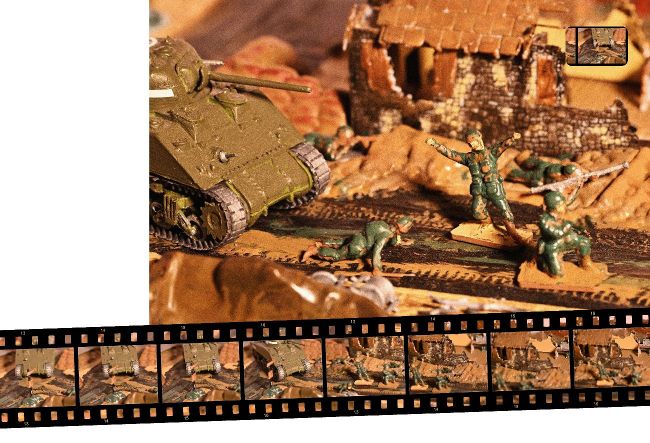
Right and below: Creating a stop-motion animation is a time-consuming project, but it’s also lots of fun. It is best to plan out what the story is going to be first, and then prepare your set accordingly.