Installing stereo operating systems
A few more cross-checks and detours, then we can get the freshest edition of Mint installed on your machine…
First, if you’re on old hardware, or hardware that’s otherwise still using the old MBR (Master Boot Record, also known as MS-DOS) style partition tables, then you’re strictly limited to four primary partitions. It turns out you can install Windows 11 on such a device (by addition of various Registry keys), or perhaps you have Windows 10 on an MBR drive already. In this setup Windows will occupy three primary partitions. It’s possible to add one or more logical partitions, but these must exist within an ‘extended’ partition, which is itself counts as a primary partition.
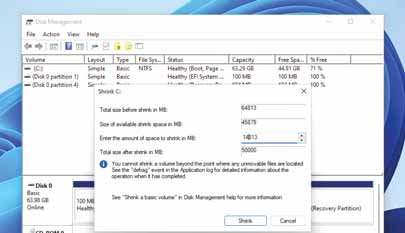
Windows claims to need 65GB to install, so it gets quite upset if you try and shrink this storage amount.
So in an MBR setup, provided you or whoever put together your PC haven’t added extra primary partitions, there’s just enough room to fit Linux Mint (or whatever distro you like) on there. Of course, we just told you that’s it’s better to install on different drives, so MBR or no, please do still heed that advice if possible.
Linux doesn’t care about whether it’s installed in a primary partition, so long as the bootloader is installed to the MBR (the most common setup). It also doesn’t care about booting from partitions that don’t have the ‘bootable’ flag set, which is a Windows artefact. And neither does it care about the ‘partition type’ flag. If you’re starting from scratch it’s best to reformat the drive with a GUID Partition Table (GPT). Then you can have partitions larger than 2TB – up to 128 of them, too.