Back up your old Mac
Be sure to protect your data by making a copy of everything on your Mac
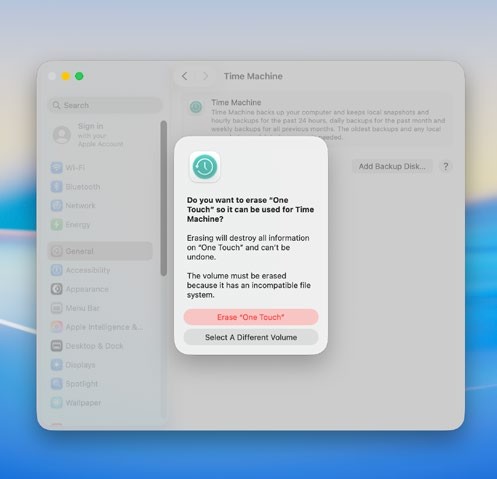
Time Machine will set up your backup drive but make sure it’s free of required files first
When migrating from one Mac to another, it makes sense to protect your files. This entails backing up your computer to keep your apps, photos, music, emails and documents safe and it means you’ll have a copy of your data should anything go wrong during the migration process. You may find you’re already keeping backups on your old Mac since Apple’s iCloud can be used to . automatically sync your data. To check if this has been set up, click Finder on your old Mac and look for iCloud Drive in the sidebar. If it’s not there, it doesn’t necessarily mean iCloud is not set up: just click Finder > Settings > Sidebar and tick iCloud Drive if the option is available.