Mail, Messages and FaceTime
Unsend and correct your mistakes to save embarrassment
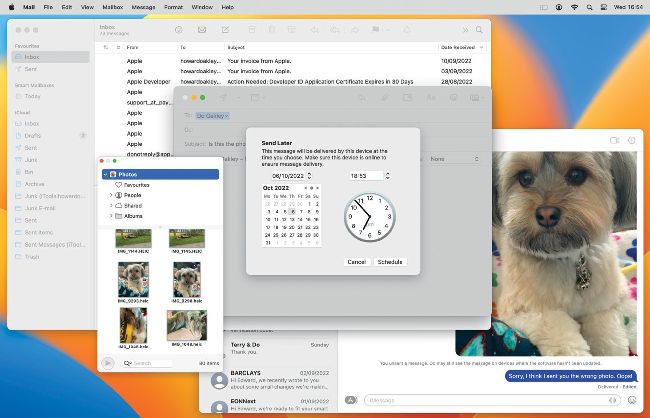
You now get a second chance with unsending, and timed mail dispatch.
B oth Apple’s Mail app and Messages have become more tolerant of human error, in letting you unsend when you want. These work quite differently: Mail does this by delaying dispatch of messages by up to 30 seconds, during which you can change your mind; Messages still sends immediately, but gives you up to 15 minutes to cancel or correct each message.
1 Send it later
You can now schedule your email to be sent in the future, rather than trying to remember to send it later yourself. Click the menu to the right of the Send button and select one of the suggested times, or Send Later to set any time and date you want.