ASK
TECH SUPPORT & TECHSPLANATIONS
EXPERT ADVICE
Our resident genius solves your Mac and iOS problems
Email Mac|Life at ask@maclife.com
Get official documentation at support.apple.com | Get help with hardware at support.apple.com/repair
Look forward to a virtual past
RUNNING ANOTHER OPERATING system within macOS has been a specialist pursuit requiring heavyweight apps such as Parallels Desktop or VMware Fusion. It has also been more tricky on Apple silicon Macs, but with Ventura — and, to some extent, Monterey — Apple has unleashed lightweight virtualization.
There are several lightweight apps such as VirtualBuddy (bit.ly/ml200virtualbuddy) for Apple silicon Macs that enable you to keep a working copy of macOS 12 to hand after you’ve upgraded to 13. Others offer Linux with or without a GUI, for anyone wanting easy access to its wealth of tools, although Windows remains unsupported.
In the future we should expect to rely more on lightweight virtualization to run older software as macOS diverges further and faster.
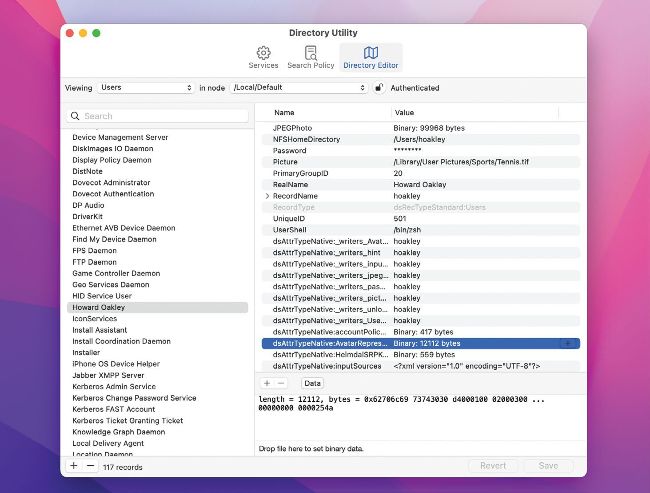
You can remove defunct users and groups in Directory Utility (via Spotlight search), but it’s dangerous unless you know what you’re doing.
> Remove a mystery user
After upgrading my Mac, a new user named “macports” appeared on my login screen. What is this and how can I get rid of it?
Sometimes, if you had installed software with components provided by MacPorts on a previous Mac, this can be migrated to a user account and group named “macports”. Although that mostly appears as a user–less folder, it can sometimes result in a user without a Home folder.
Normally, there’s no harm in leaving them alone. Without a Home folder, this macports user won’t consume any disk space and shouldn’t cause any problems or vulnerability on your Mac. If it’s such an annoyance you’re prepared to perform surgery, you can remove the user and its group in Terminal, using the instructions at bit.ly/ml200macports. Directory Utility is an alternative if you know how to use it, but it can be dangerous in unskilled hands.
See if there’s a hidden folder of that name in the hidden /opt/local folder at the top level of your startup disk. You can do this in the Finder after pressing Cmd+Shift +. [period] to show hidden files. If there is a folder, then once you’ve removed the macports user and group you’ll need to remove that folder as well.