Continuity Camera, Notes and more
Use your iPhone as a camera and microphone for your Mac
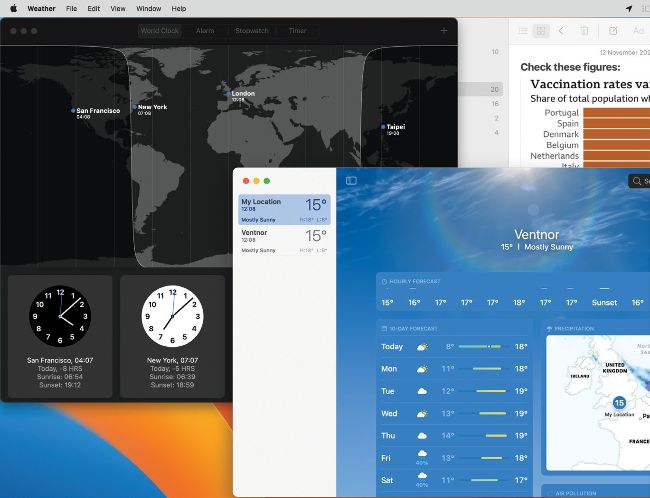
New Clock and Weather apps look familiar from iOS, but have a distinctly macOS flavor, while Locked Notes keep your thoughts private.
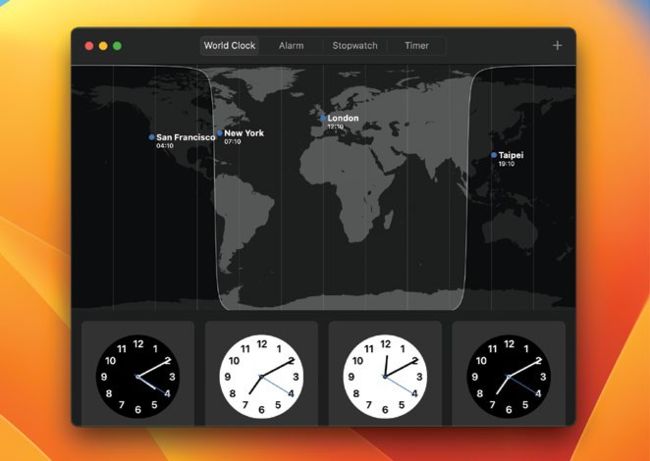
Add world times and drag them into order, from left to right and west to east.
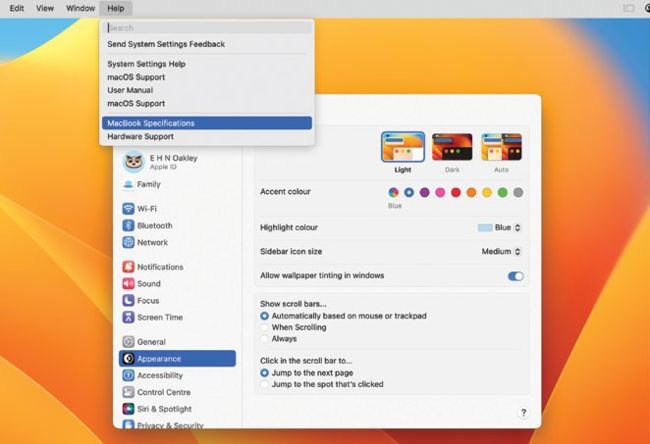
System Settings has extra Help commands, including access to model specifications.
FACETIME HD AND other cameras built into Macs, even that in the $1,599 Studio Display, pale in comparison with the quality and special effects available in iPhones. Continuity Camera enables you to use the camera in most recent models of iPhone as a camera integrated with your Mac. If you don’t yet have a tripod or stand, look for dedicated mounts from Belkin and others to make this ideal for FaceTime and movie–making.
1 iPhone to webcam
Connect your iPhone XR or later using USB or Wi–Fi as a Continuity Camera. Depending on the model, this offers Portrait mode, studio lighting effects, Desk View and Center Stage options, and you can also use it as a microphone.
2 Smarter Smart folders in Notes
Notes’ Smart folders have new filters so you can apply compound rules to select your notes by date, checklists, sharing and others.