Gear Up
iPhone 14 Pro
A significant makeover, that’s mostly skin deep
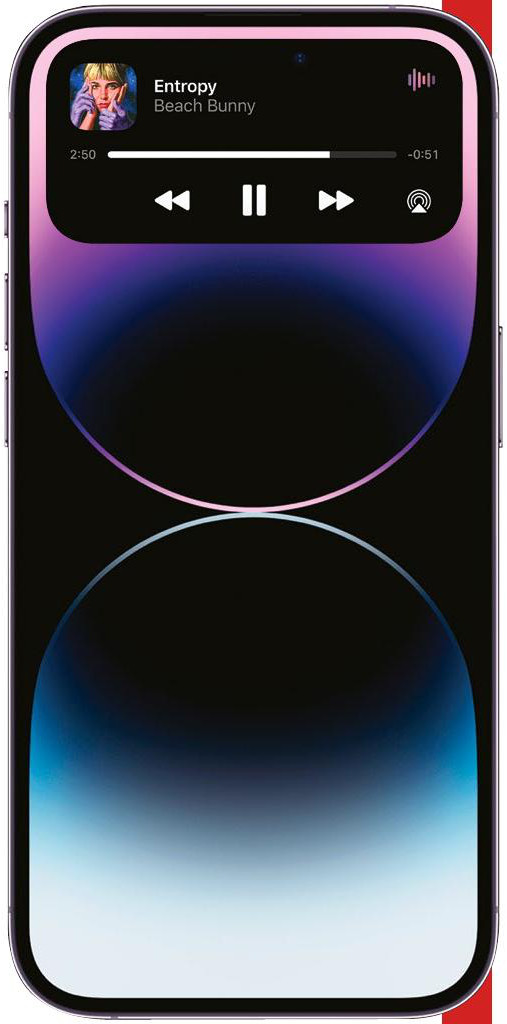
The Dynamic Island changes the way you interact with the iPhone 14 Pro.
Outwardly, the new iPhone 14 Pro (and iPhone 14 Pro Max) share a lot in common with last year’s iPhone 13 Pro model, though there are some key differences that set them apart, and a lot of these can be found in the 14 Pro’s upgraded display. The first, and perhaps most obvious of these, is the new Dynamic Island which replaces the old, and somewhat universally–unloved notch. Dynamic Island is probably the biggest visual change to the way the front of the iPhone looks, but it’s much more than just a prettier way of hiding the iPhone’s front–facing camera and sensors, because, like a chameleon, it also changes and adapts to what’s currently happening on your iPhone. For instance, if you’re playing music, charging your device or connecting your AirPods, the bar will change size and display information specific to what’s going on. It also reacts to your finger presses: if you tap the pill–shaped notch it’ll take you to the app that’s in focus, and if you hold down it’ll shift size and shape to reveal more info about that app, and provide enhanced on–screen controls. It all sounds pretty in–your–face, but trust us — in action it’s subtle enough to not be distracting, providing the right amount of feedback to make using your iPhone just that bit easier and more intuitive. If you don’t want to interact with it, it doesn’t get in the way.
Another area of the iPhone 14 Pro that gets a significant upgrade over the previous iPhone is the introduction of an Always–On display. As the name suggests, when this mode is active, the display is always on, though dimmed, revealing basic information without having to turn the display on each time you want to check it. This includes the date, time, any widgets you’ve installed, and notifications. Apple says the display uses very low power thanks to the ability to refresh as low as 1Hz. Indeed, we found the Always–On display to make no discernable difference to our overall battery life during the day. The only slight issue you might find is getting used to the idea of always having your lock screen active — if like us you’d glance at your iPhone when the lock screen lights up, then you might find it difficult to stop checking the iPhone 14 Pro every few seconds. Alternatively, if you don’t like it, it’s possible to turn it off in Settings.