ASK
TECH SUPPORT & TECHSPLANATIONS
EXPERT ADVICE
Our resident genius Howard Oakley solves your Mac and iOS problems
> Find free space on a USB flash drive
When I format a USB flash drive in FAT32 (MS–DOS) format, my Mac can’t copy anything to it, as the Finder reports it has no space. Is this a bug in macOS?
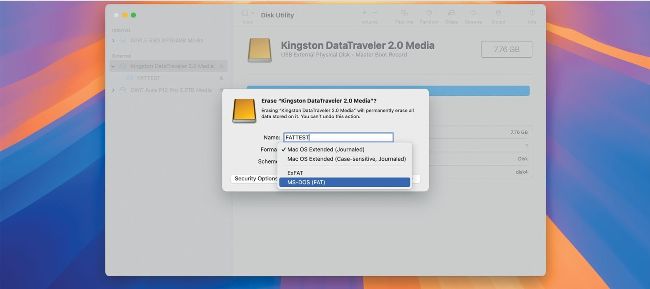
Format a USB flash drive with either option for PCs and you should be able to access it like any other removable storage.
Support for FAT32 and ExFAT formats has recently changed to use a system extension, but Disk Utility formats flash drives and other storage correctly. Failure to mount a removable drive can only be the result of third–party software, so you need to identify what’s responsible. Start your Mac up in safe mode, by holding the Shift key during startup on an Intel Mac. Apple silicon Macs have to be started into recovery by pressing and holding the Power button until Options load. Then select the startup disk, hold the Shift key and click on the button below the disk icon to continue in safe mode. That disables third–party extensions, and should restore normal function to flash drives.