Get moving
Use external drives for space–hogging files
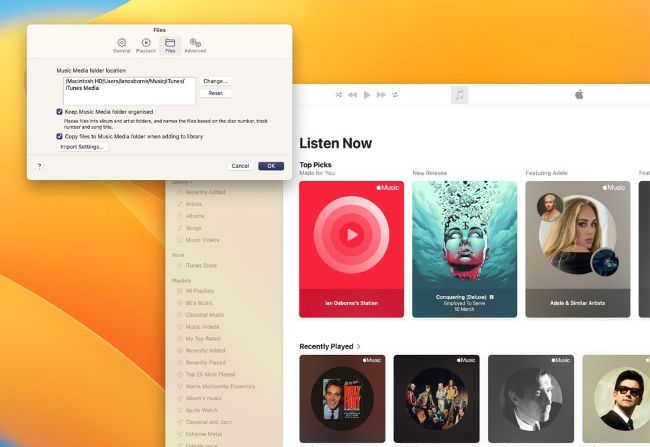
You can move media libraries such as Music to an external drive.
Image rights: Apple Inc, Seagate Technology LLC, Western Digital Corporation or its affiliates, Synology Inc, ORICO Technologies Co Ltd.
AFTER ALL YOUR best clean–up and organizational efforts, if your Mac still feels a little wheezy, one solution could be to move some of the biggest space hogs onto an external drive. This frees up space on your boot drive for the Mac to use as virtual memory, speeding it up and benefiting greatly when you have multiple applications open at once.
If you have a lot of documents on your Mac, consider moving them to a cloud storage service such as iCloud or Dropbox. Not only does this save local drive space by not having them stored on your Mac, you can access and edit them from any computer or mobile device with an internet connection.