COVER FEATURE
AMAZING FREE APPS...
You MUST SIDELOAD on your phone & TV stick (don’t tell Amazon & Google)
Beat Amazon and Google’s restrictions by sideloading apps from outside their official stores. Robert Irvine explains how to sideload and recommends the 20 best free tools to install
The Google Play Store has an estimated 1.6 million apps to install on your Android phone or tablet. Many are also available for Google’s streaming devices like the Chromecast and Google TV Streamer.
Although the Amazon Appstore can’t compete with that figure, it still offers around 600,000 apps for its Fire TV streaming devices and Fire HD tablets. Why then, you may wonder, should you need to sideload even more apps, from outside of those official stores?
WHAT YOU CAN DO
• Tweak your devices to sideload apps from outside official stores
• Discover the safest sources of free apps to sideload
• Block ads and trackers in all phone and tablet apps
• Download videos on your mobile device in up to 4K quality
• Browse the web privately in permanent incognito mode
• Hack your Fire stick to sideload apps Amazon has banned
You may also be suspicious of sideloading. In the past few years, there have been numerous news stories about Amazon cracking down on sideloaded apps, and the police arresting the sellers of illegally modified Fire sticks. And later this year, Google will introduce tighter restrictions on apps you can sideload.
In this feature, we address your questions and concerns about sideloading apps, and explain why it’s an effective – and perfectly legal – way to enhance your phone, tablet and streaming stick. We show you how to safely sideload on those devices (while you still can) and recommend the best free apps to install.
These are much less likely to include ads and in-app purchases than those in official stores, and let you do things those apps can’t. Sideloading gives you greater control of your devices and isn’t as technical as it sounds.
YOUR SIDELOADING
QUESTIONS ANSWERED
What is sideloading?
Sideloading is the process of installing an app on a device from outside its official app store, such as the Google Play Store or Amazon Appstore. It most commonly refers to installing apps from ‘unknown’ (meaning unofficial) sources on mobile devices and streaming sticks (see screenshot right).
Technically, each time you install a program on your Windows PC from outside the Microsoft Store, you’re sideloading it. But as that’s the norm, no one uses the term in that context – and it’s not what this feature is about.
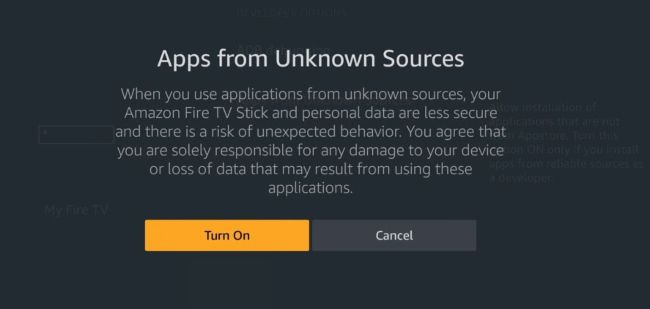
Sideloading entails installing apps from ‘unknown’ (unofficial) sources
Is sideloading legal?
Yes, it’s completely legal to sideload apps from outside official stores. Android-based devices, including most Fire TV sticks, allow you to install apps from APK files, once you make the required tweaks to their settings.
However, some apps that people sideload aren’t legal, which is where the confusion and the anti-sideloading headlines arise. These apps may enable users to stream copyrighted TV shows, films, music and live sporting events for free and without the copyright owners’ permission. Or they may be pirated versions of paid-for apps and games, which can be used illegally for free without a licence or subscription.
Is that what Amazon is clamping down on?
Yes, as we reported in Issue 723 (page 7), Amazon is warning Fire TV stick users to stop sideloading illegal apps that let them watch content such as Premier League football and movie channels without paying. It is consulting a
‘blocklist’ maintained by the anti-piracy organisation Alliance for Creativity and Entertainment (ACE), and will block any apps that appear in the list.
Controversially, Amazon’s latest streaming device, the Fire TV 4K Select (pictured right), prevents you from sideloading apps altogether. Not because it’s illegal, but to combat piracy and increase security.
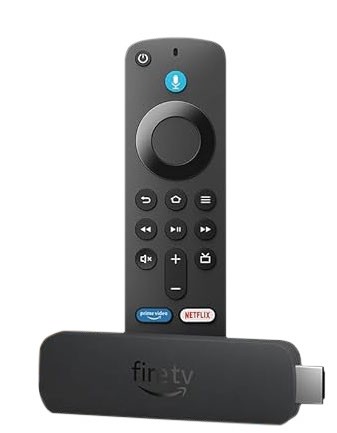
Amazon’s new Fire TV 4K Select won’t let you sideload apps
So is sideloading dangerous?
Sideloading itself isn’t dangerous, but it depends on which apps you install – and from where. Official stores scan submitted apps for security and privacy threats, and though some dodgy tools slip through they’re usually removed as soon as Google or Amazon are notified.
APKs from unofficial sources may not be vetted, and be intentionally malicious, which could infect your device with malware and steal your personal data. Additionally, sideloaded apps may not receive updates, leaving them vulnerable to exploits.