Automatic people removal is here
Fix unwanted photobombers and remove background clutter, with James Paterson
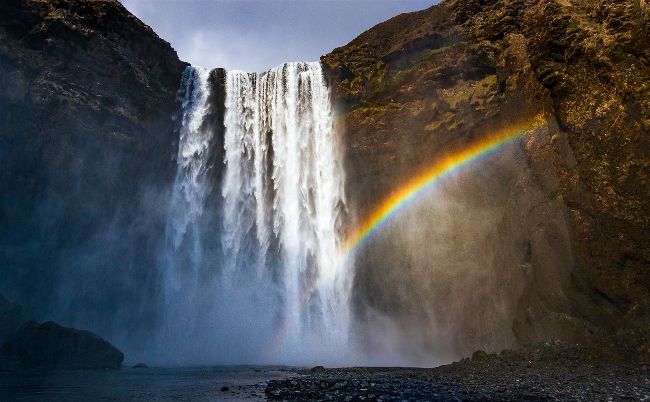
After
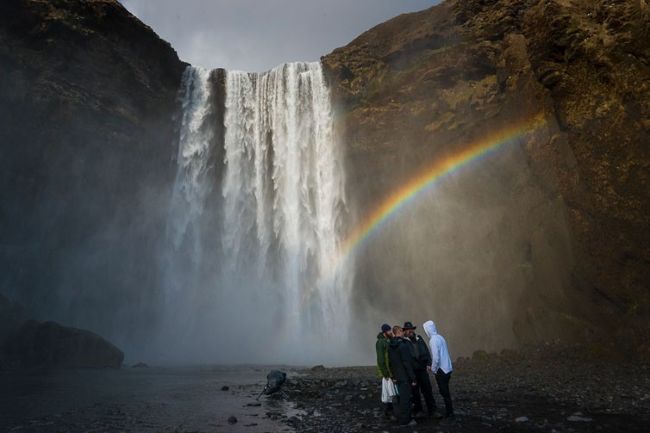
Before
Downloadyour files
www.digitalcameraworld.com/dc297
Download your files and video tutorial from the folder titled ‘Lightroom/PS_People Removal’.
We’ve all been there – you get set up in the perfect spot, carefully compose and then, at the moment of pressing W the shutter, someone unknowingly walks into your frame. That’s what happened to me at Iceland’s popular Skogafoss waterfall. Thankfully, it’s fairly easy to remove unwanted objects from your photos and, with a new Photoshop/ Lightroom update, people can now be detected and covered up automatically.
There was a time when retouching photos like this could be a painstaking and lengthy process of cloning and healing, but now we can use AI to generate new pixels to cover up these distractions. The AI-powered Distraction Removal feature employs machine learning to clean up your images in seconds. It’s especially effective in scenes like this, where attempting to clone or heal rough textures such as the rocks would often lead to blotchiness or muddy details. By contrast, Photoshop’s generative AI tools are particularly good at generating natural textures such as rocks or foliage to cover up unwanted frame-crashers.