Media streaming
Back up and view photos and videos
Ditch the expensive subscription and back up (and stream) photos locally.
While it’s possible to create libraries in Jellyfin to stream your personal photos and home videos to the big screen, the question remains of how easy it is to transfer said content from your phone to your server. Taking its cue from your cloud provider, Immich is designed to provide you with your own selfhosted alternative – one that doesn’t come with expensive subscription fees, and which not only simplifies the task of transferring your photos and videos to your server, but also gives you the means of organising files by album, people, location and more.
Immich installation
Immich is supplied as a container, so you need Docker or similar to deploy it. Browse to https://documentation.immich.app/docs/install/requirements for the scripts and instructions you need – Docker Compose is the recommended route to follow, but we installed our instance easily using Portainer’s stacks feature.
The key environment variable you need to consider is UPLOAD_LOCATION, which is where all photos and videos will be uploaded to on your server. If you plan to create libraries in Jellyfin for accessing this content, make sure it can access the path you set here.
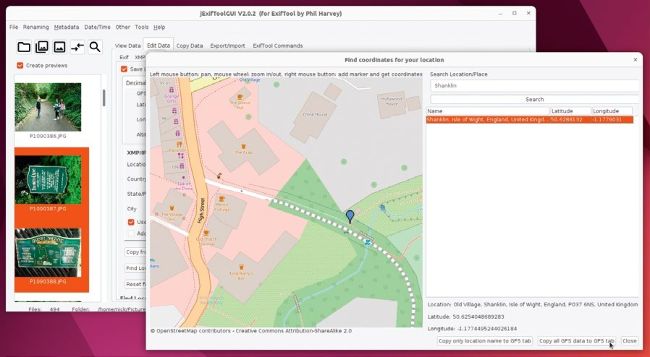
Edit your photos’ metadata before you import them into Immich – jExifToolGUI offers an easy way to do just that.