iOS 26 superguide
Phone, FaceTime & Messages
Great new communications tools – plus customisable backgrounds for chats!
As you’d expect, Phone, FaceTime and Messages – Apple’s key communication applications – get some significant new features in iOS 26. The Phone app gets Call Screening, which automatically answers unknown callers without ringing, and asks for their name and reason for calling. When this is offered, your phone rings, displaying this information on the screen. You can then decide whether to answer or not. To activate this service, go to Settings > Apps > Phone and look at the Screen Unknown Callers options.
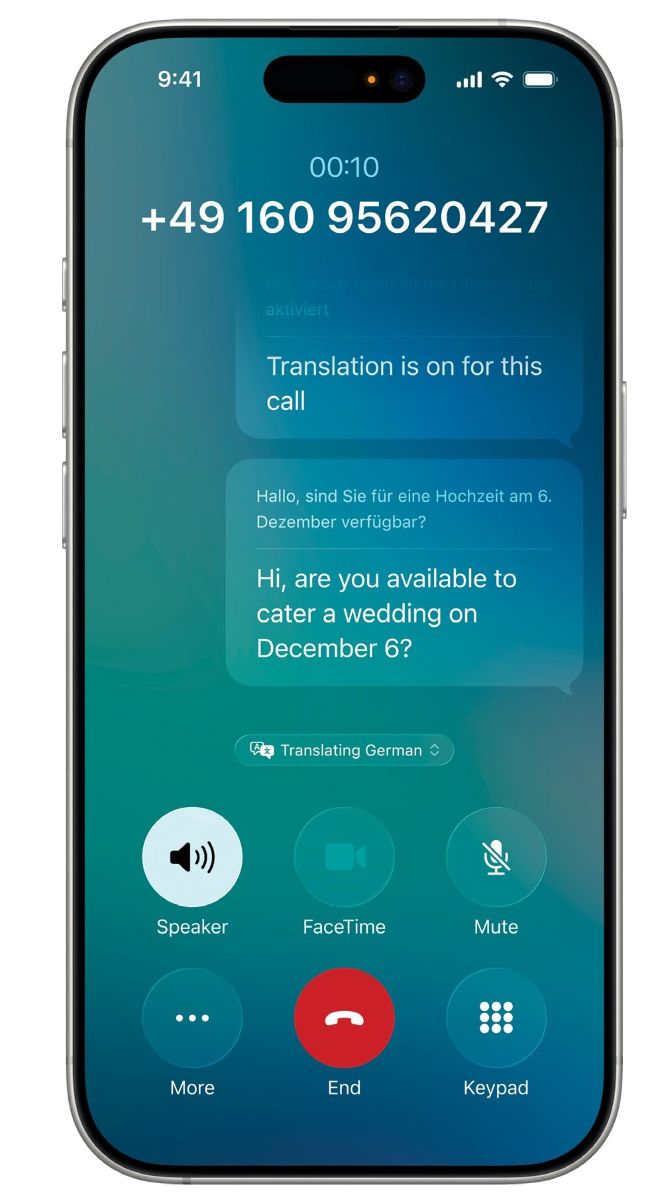
Live Translation
If you regularly communicate with people whose first language isn’t English, Live Translation is for you. Available in the Phone, FaceTime and Messages apps, if your iPhone detects incoming speech or messages in a foreign language, Live Translation automatically translates it for you, and also translates your responses into the other party’s language. Live Translation is an Apple Intelligence feature, so it’s only available on iPhones powerful enough to use Apple Intelligence.