iOS 26 superguide
Safari, Reminders, & Notes
Discover the cool new things you can do!
Like all Apple’s iOS apps, Safari, Reminders and Notes get a Liquid Glass make-over in iOS 26, but the changes go much further than mere aesthetics. Apple has taken a look at how these apps function and how you can interact with them, and made them more streamlined and accessible.
Safari, of course, is Apple’s own web browser, and Reminders and Notes are important productivity apps. All three are bundled with iOS, including iOS 26, and you can access Reminders and Notes from any web browser by going to iCloud.com and signing in to your Apple Account.
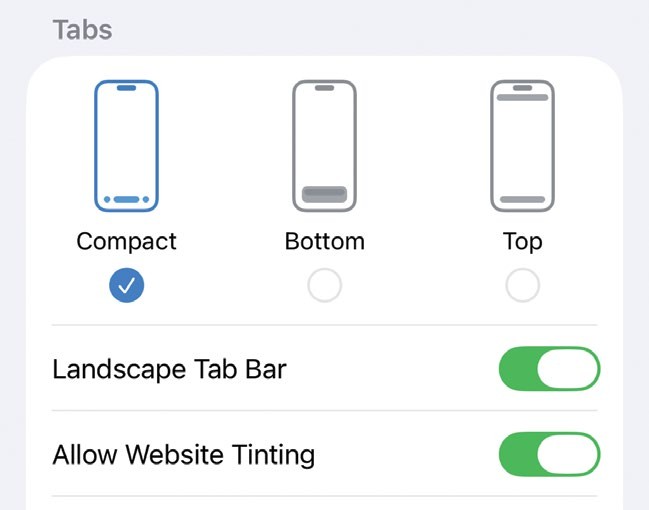
You can change the layout of the Safari tabs and tools to suit your preferences in Settings.