Other cool things to try
Take more control over the look of your nature photos
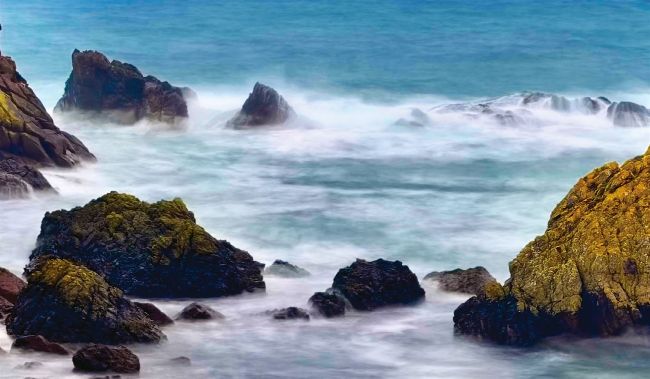
By shooting in Live Photo mode, you can mimic a DSLR’s slow shutter speed setting and turn waves into paint-like strokes.
Like a DSLR camera with its various shooting modes, your iPhone Camera app’s shooting modes and settings can produce a variety of looks and moods. DSLR users can manually choose a slower shutter speed to turn moving water into ephemeral paint-like streaks.
You can’t dial in a specific shutter speed on your iPhone’s Camera app, but we’ll show you a hack that enables you to produce DSLR style slow-shutter motion blur effects, plus we’ll demonstrate other cool techniques to try out.
1 Portrait mode
On page 66, we explored how the iPhone’s Macro mode enables you to draw attention to the main subject (such as a flower or bug) by adding a soft blur (bokeh) to the shot’s background. When you step away from close proximity with a flower, the iPhone deactivates Macro mode automatically, making the foreground and background look more sharply focused. DSLR photographers can step back to get more flowers in shot and still add a background bokeh by choosing a wider aperture value setting on their camera. The iPhone can mimic this wide aperture induced blur when you shoot in the Camera app’s Portrait mode.