Taking great landscapes
Set up your camera to snap a stunning landscape
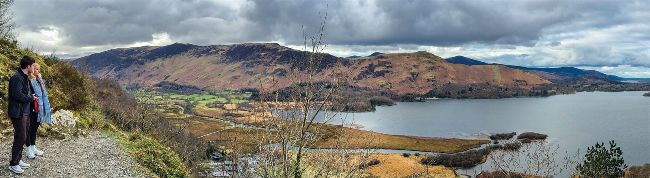
We captured this stunning vista using the iPhone 16 Pro’s 1x (24mm) Fusion Camera set to Pano mode.
Traditionally, DSLR photographers have been able to capture amazing wildlife shots using telephoto lenses, but if they then want to take a panoramic view, they need to unscrew the lens from the camera, fumble around in a kit bag for a wide-angle one, and then attach that to the camera. iPhone photographers on the other hand are spoiled when it comes to capturing a wide range of landscape subjects quickly and easily thanks to the built-in cameras and the Camera app’s shooting modes.
1
Lenses
On iPhone models such as the iPhone 16, you can tap to summon the 0.5x Ultra Wide camera which is the equivalent to a DSLR’s 13mm wide-angle lens. This is effective for capturing sprawling scenic vistas, such as a mountain range. If you spot a distant subject and want a closer look, tap on the Camera app’s 2x icon (equivalent to a DSLR’s 26mm lens). iPhone 15 Pro and Pro Max and 16 Pro and Pro Max users can get even closer using the 5x Telephoto lens. This is comparable to a DSLR user’s powerful 120mm lens.