macOS
Shine a spotlight on the solutions to your most irritating Mac problems
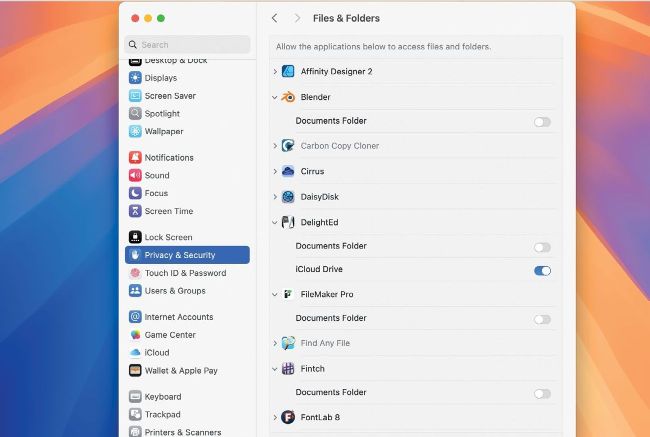
Block apps accessing files in your Documents folder using the controls in Files & Folders, in Privacy & Security settings.
Block app access to sensitive files
Q
As a music producer, I keep unreleased songs on my Mac. How can I secure them from all the apps that have access to my Documents folder?
by [NAME WITHHELD]
A
Whether enforced by permissions or System Settings > Privacy & Security, access to files by the everyday apps you run as a user is determined by user account. A single account can’t have two different settings, so your best solution is to create a second user with its own Home folder and the access settings appropriate to those sensitive files.
First use the button to Add User in Users & Groups settings, configure that account, and log in as that user. Then, in its Privacy & Security settings, lock out all those apps you don’t want to have access to its Documents folder, and only allow your audio apps to use them. When you’re logged in as the first user with your regular apps, you won’t be able to use the second user’s Documents folder, and when you’re logged in as the second user, only the apps you want to have access to those songs will do so.