MACOS
Shine a spotlight on the solutions to your most irritating Mac problems
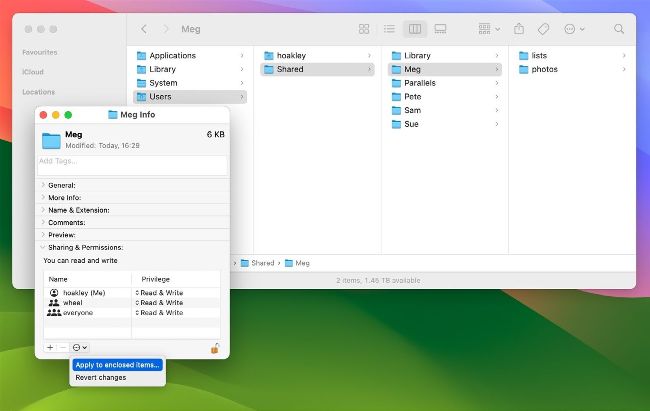
Use the ‘Apply to Enclosed Items’ command in the Get Info dialog to change permissions for all files inside a shared folder.
Give everyone write access to shared docs
Q Each family member has their own folder in Users > Shared on our main Mac for sharing documents. Although set to give everyone read and write access, when they save new files there others can’t write to them. How can we change permissions to allow that?
by GRESHAM ARNOLD
A Although part of the permissions system in macOS, those set for new files created by users aren’t determined by the permissions of the enclosing folder, but by a user’s umask. The standard umask sets permissions on all new files created by a user so that everyone has read-only access, and can’t write to that file.