HOW TO
STEP-BY-STEP GUIDES TO IMPROVING YOUR PC
TIP OF THE MONTH
© STEAM, LOSSLESS, MICROSOFT
RESETTING MONITORS
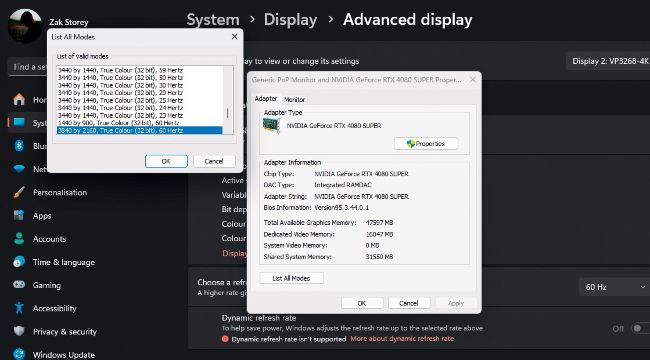
Ever had a problem where your monitor develops black bars at the top and bottom, despite being at its max resolution of 16:9? Right-click the panel, hit ‘Display Settings’, then ‘Advanced display’ and ‘Display adaptor proper ties’, then select ‘List All Modes’. Change the mode to 1280x1024 (32 bit), 60Hz, change it back to the mode it should be running at, and it should reset the panel and remove the black bars and fuzzy fonts.