Video editing
Add extra polish to your videos
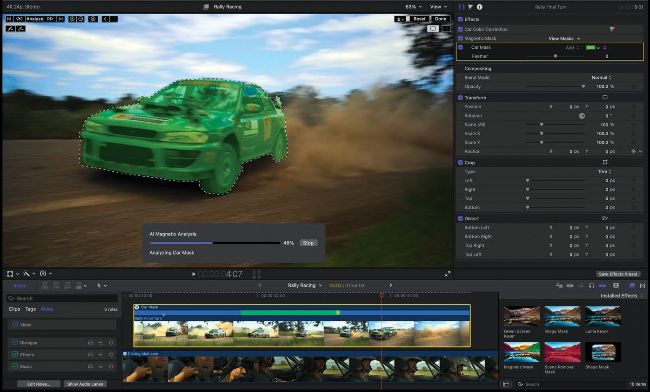
Final Cut Pro takes you to the next level for post–production work on video footage.
Final Cut Pro
Alternative to iMovie
> $299.99
>FROM www.apple.com
>FEATURES Advanced tools, large range of effects, high–res format support

Easy to get to grips with, iMovie is ideal for beginners and casual hobbyists who want to combine video clips. It’s a relatively simple tool for making basic cuts and adding titles, sounds and transitions to create reasonably polished–looking results. However, more serious hobbyist filmmakers should consider upgrading to something with more powerful capabilities. Among the many contenders, Apple’s own Final Cut Pro is one of the very best options, which is powerful enough to be used by those working in professional post–production. While the price is pretty hefty, it’s a one–off purchase with free automatic updates. What you get for your money is an extensive set of professional tools that enable more complex and intricate edits. For starters, there are more than 200 customizable video effects to play around with, along with over 100 audio effects that allow for complex layering. You can even import your own effects if required, and make use of third–party plug–ins, which work seamlessly within the app.