Play Windows games on Linux
YOU’LL NEED THIS
A STABLE INTERNET CONNECTION
For downloading Linux and the games you’ll want to play.
MANY WINDOWS PCS
could become redundant in October 2025 due to Windows 11’s TPM 2.0 requirements. This could result in over 250 million junked devices. This means that there’s never been a better time to switch to Linux. Although it occupies only a small fraction of the desktop market (four percent), the OS offers advantages for PC users.
Aside from more forgiving TPM requirements, Linux is free and open-source. This means it doesn’t cost a penny. The development community also often supports drivers for older devices.
Linux comes with virtually no bloatware and few background processes. This can free up a lot of system resources for gaming. For instance, the recommended amount of system RAM for Windows 11 is 4GB. Lubuntu Linux can run with just 1GB. Still, if you enjoy PC gaming, you may worry about making the switch, given that many Windows games aren’t available on Linux.
In this guide, you’ll discover that Linux is perfect for gamers. Not only are developers increasingly releasing Linux versions of games, but there’s a wide variety of distros designed with gamers in mind. You’ll also discover how to play both classic and modern Windows games on Linux by using emulators and compatibility layers.
–NATE DRAKE
A
1CHOOSE YOUR DISTRO
Most versions of Linux are suitable for playing Windows games. When researching this tutorial, for instance, we used stock Ubuntu 24.10, one of the most popular Linux distros.
»
Alternatives included Pop!_OS, which has better built-in drivers for many Nvidia and AMD graphics cards. Linux Mint also has a built-in tool to double-check your hardware drivers are running the latest versions. This is important, as most Linux distros only use open-source software out of the box, to the exclusion of proprietary drivers.
»
This can pose a problem when it comes to DirectX APIs. Fortunately the open-source graphics API Vulkan is able to utilize most DirectX calls present in Windows games.
»
Some Linux distros are even specifically designed for gaming. Draguer OS, for instance, supports Vulkan, and comes with software like Steam, Lutris, GameHub, and PlayOnLinux.
»
Other gaming-specific distros, like Nobara and Garuda Linux, also bundle Vulkan support, and include gaming software.
»
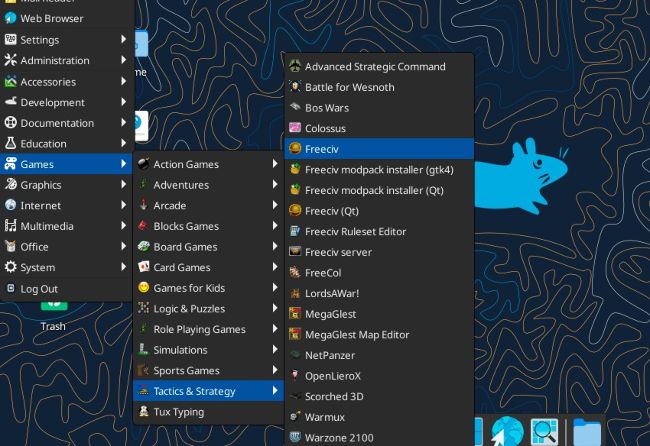
Some mainstream distros also offer ‘spins’ of the OS that are tweaked for gaming. This includes Fedora ‘Games Lab’
[Image A]
, which is preinstalled with a selection of native Linux games.