Find Your CAR AND KEYS
Fed up with losing your keys or forgetting where you parked the car? Jonathan Parkyn explains how new tools and devices can help you track them both down
Few everyday frustrations are as irritating as wandering around a large car park jabbing your key fob to locate your vehicle – or worse, hunting through coat pockets or bags to find the fob in the first place. But recent developments in phone, car and tracking technology offer new ways to resolve these irritations.
Google Maps and Apple Maps can work with sensors in your phone and features built into your car to do much of the remembering for you. At the same time, personal tracking devices and third-party apps offer increasingly clever features, wider networks and smarter technology so that losing your car keys – or your car – is less of a headache than it once was.
Save your parking location automatically
Google Maps recently added a genuinely useful feature for iPhone users, which automatically saves your parking location – represented as a pin on the map of your current area labelled ‘You parked here’.
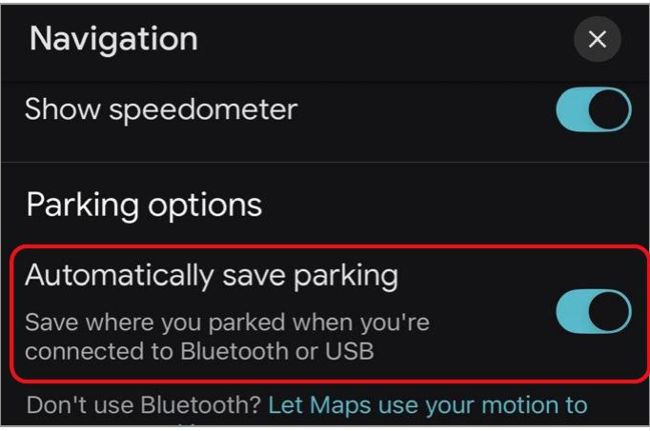
To save the location of your parked car switch on the ‘Automatically save parking’ option…
This is saved for up to 48 hours.
To make this work, you need the latest version of Google Maps installed – check for an update in the App Store. Your iPhone needs to be connected to your car via Bluetooth, with Bluetooth selected as your car’s audio source during your journey (see your car’s manual for instructions on how to do this).